
Automating search engine discoverability with dynamic sitemaps
No matter how well designed your storefront is, it cannot generate revenue if customers cannot find it on search engines. A sitemap acts as a direct architectural roadmap for search engine crawlers (like Googlebot and Bingbot). It tells these engines exactly which pages, products, and categories exist in your store and how they relate to one another.
By automating your sitemap generation, you eliminate the technical bottleneck of manual SEO updates. When you add new seasonal inventory or remove discontinued items, dynamic sitemaps ensure that search engines immediately index your active catalog, driving higher organic traffic and preventing shoppers from landing on dead links.
Understanding sitemap automation
The eCommerce solution takes the complex task of XML coding and reduces it to a single click. Here is how the sitemap engine functions to keep your storefront optimized:
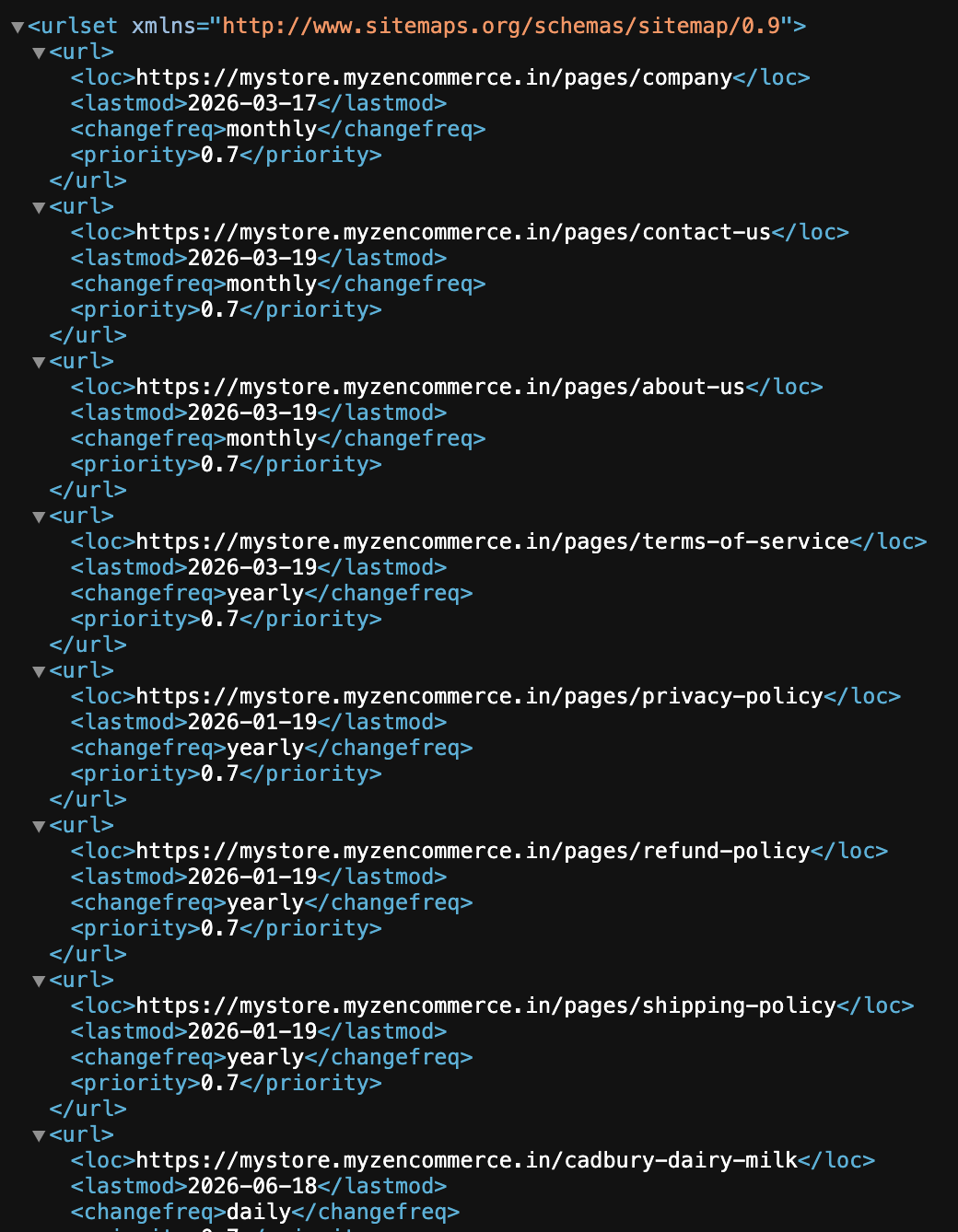
- Automated XML generation: The feature automatically compiles all your products, categories, and web pages into a standard sitemap.xml file. This specific file is what search engines like Google need to easily read and list your online store.
- Total product sync tracking: The module provides a real time data metric labeled “total product sync”, which displays the exact number of product URLs successfully bundled into your current sitemap index.
- Live feed verification: Through a direct “view feed” link, online merchants can now instantly preview the raw XML output to verify that their most important product pages are active and ready for search engine indexing.
Generating your sitemap
Keeping your storefront indexed requires zero coding knowledge. Follow these straightforward steps to generate and update your sitemap directly from the admin panel:
- Open your store admin panel and go to Settings → Integrations.
- Scroll to find the card labeled “Sitemap”.
- Click the “Generate button. The system will compile your current catalog and update the “Total Product Sync” count to reflect your live inventory.
- Click the “View feed” link to open your live sitemap.xml file in a new browser tab. You can copy the URL of this page for your search engine submissions.
Scaling & best practices: Turning indexing into traffic
Generating the sitemap is only the first half of the SEO equation. To leverage this feature for maximum organic growth, execute the following best practices:
Submit your Sitemap to Google Search Console (GSC)
Do not wait for Google to find your sitemap by accident. Once you have clicked “Generate” and copied your sitemap.xml URL from the “View feed” link, log into your Google Search Console account and submit the URL directly. This explicitly forces Google to crawl your online store and speeds up your appearance in search results.
Regenerate after major catalog changes
Make it an operational habit to revisit the Integrations tab and click the “Generate” button immediately following any major catalog changes. Whether you have just uploaded a new 100 product seasonal collection or bulk deleted old inventory, regenerating the sitemap ensures search engines do not waste time crawling outdated links.
Monitor your sync metrics
Keep an eye on the “Total product sync” number. If this number is drastically lower than your actual active inventory, it serves as an early warning system that certain products may be hidden, set to draft mode, or improperly categorized, preventing them from being discovered by buyers.