
Shipping Overview
Shipping settings in eCommerce allow sellers to define how and where their products are shipped.
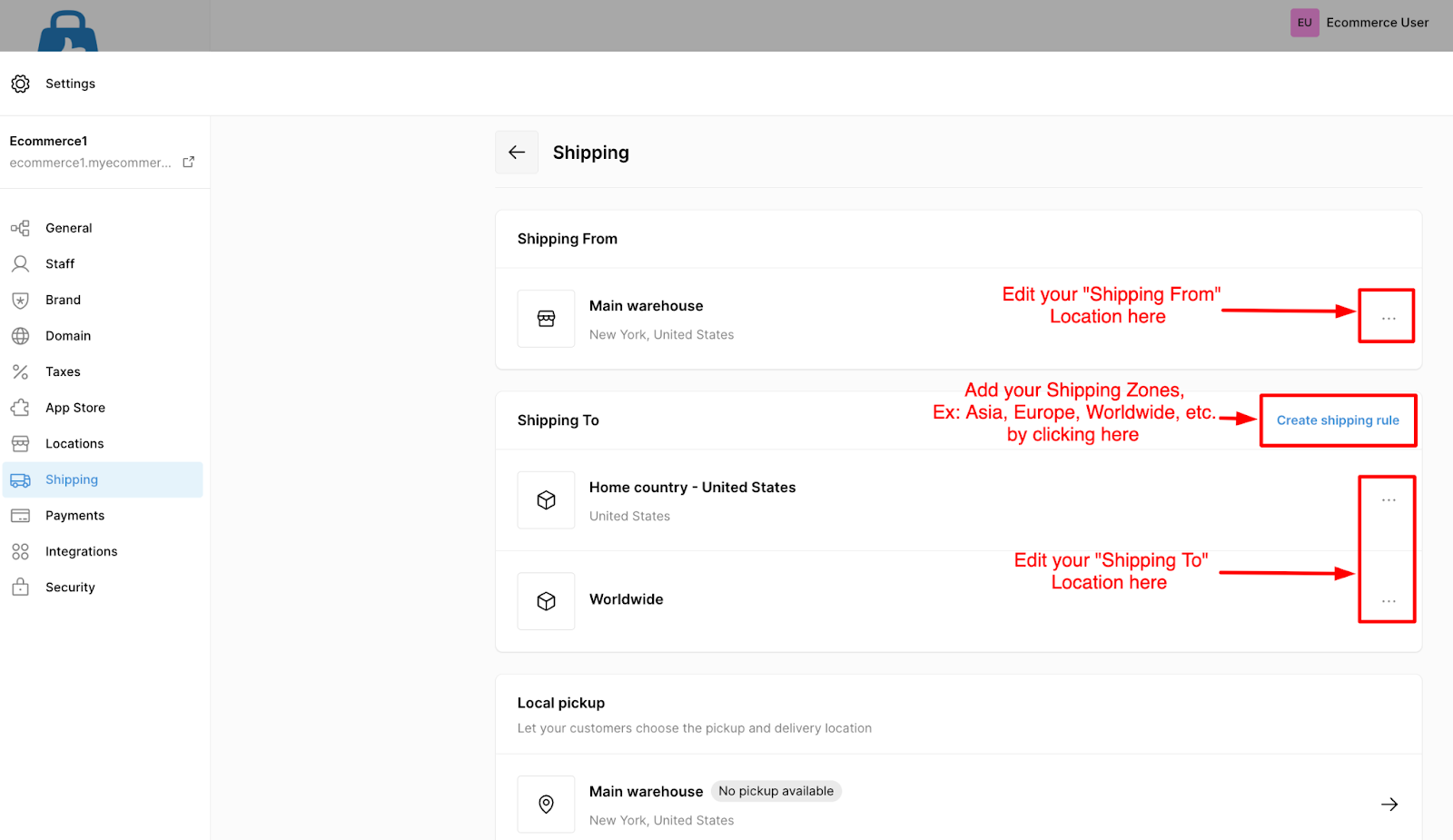
By default, each store is provided with a basic shipping setup — including Shipping From (origin) and Shipping To (destination) — which can be customized as per business needs.
Shipping From
The Shipping From address determines where your orders are fulfilled or shipped from. By default, eCommerce uses the store location you entered during the signup process.
If you wish to update your shipping origin, you can change it through one of the following options:
- Settings → Locations
- Settings → Shipping → Shipping From
Shipping To
The Shipping To settings define where your store ships products and what shipping fees apply. By default, eCommerce provides two predefined “Shipping To” rules:
- Home Country: Free shipping for customers located in the same country as your store’s registered location.
- Worldwide: If you wish to sell your products Internationally, you can choose to have a flat-rate shipping fee of Ex: $20 for all international destinations. You have the option to deactivate other shipping zones apart from your home location.
To customize or update the shipping destinations and rates:
- Go to Settings → Shipping → Shipping To.
- Select the shipping zone you wish to modify.
- Adjust the destination countries, regions, or rates as needed.
- Click Save to apply the changes.
⚠️Important: It’s highly recommended to review and update your predefined shipping rules and rates to ensure they align with your business model, logistics, and target markets.
| Shipping Zones |
Shipping Zone is a specific geographical region (such as a country, state, or group of countries) where you offer shipping services. Each zone can have its own Shipping Rule, allowing you to define different rates, methods, or delivery conditions based on the customer’s location. For example:
|
| Shipping Rates |
Shipping Rates determine how much customers pay for delivery within each shipping zone. You can set up multiple rate options — for example, Free, Standard, or Express shipping. Shipping rates can be configured based on two rules:
|
Additionally, you can define minimum and maximum thresholds for weight or price to apply specific rates — providing full flexibility in your delivery options.