
Using marketing automation to drive urgency and social proof
In eCommerce, browsers often hesitate due to a lack of immediate urgency or validation. Marketing automation solves this by digitally replicating the environment of a busy, high traffic retail store. By strategically displaying simulated buying activity and live visitor metrics, you tap into the psychological triggers of scarcity and fear of missing out (FOMO).
When shoppers see that others are actively viewing or purchasing an item, their perceived value of that product increases. This validation lowers buyer friction, prevents cart abandonment, and ultimately accelerates the path to checkout.
Understanding the automation triggers
Your eCommerce solution is equipped with three distinct conversion drivers that operate seamlessly on your storefront. Here is exactly how each mechanism functions to drive sales:
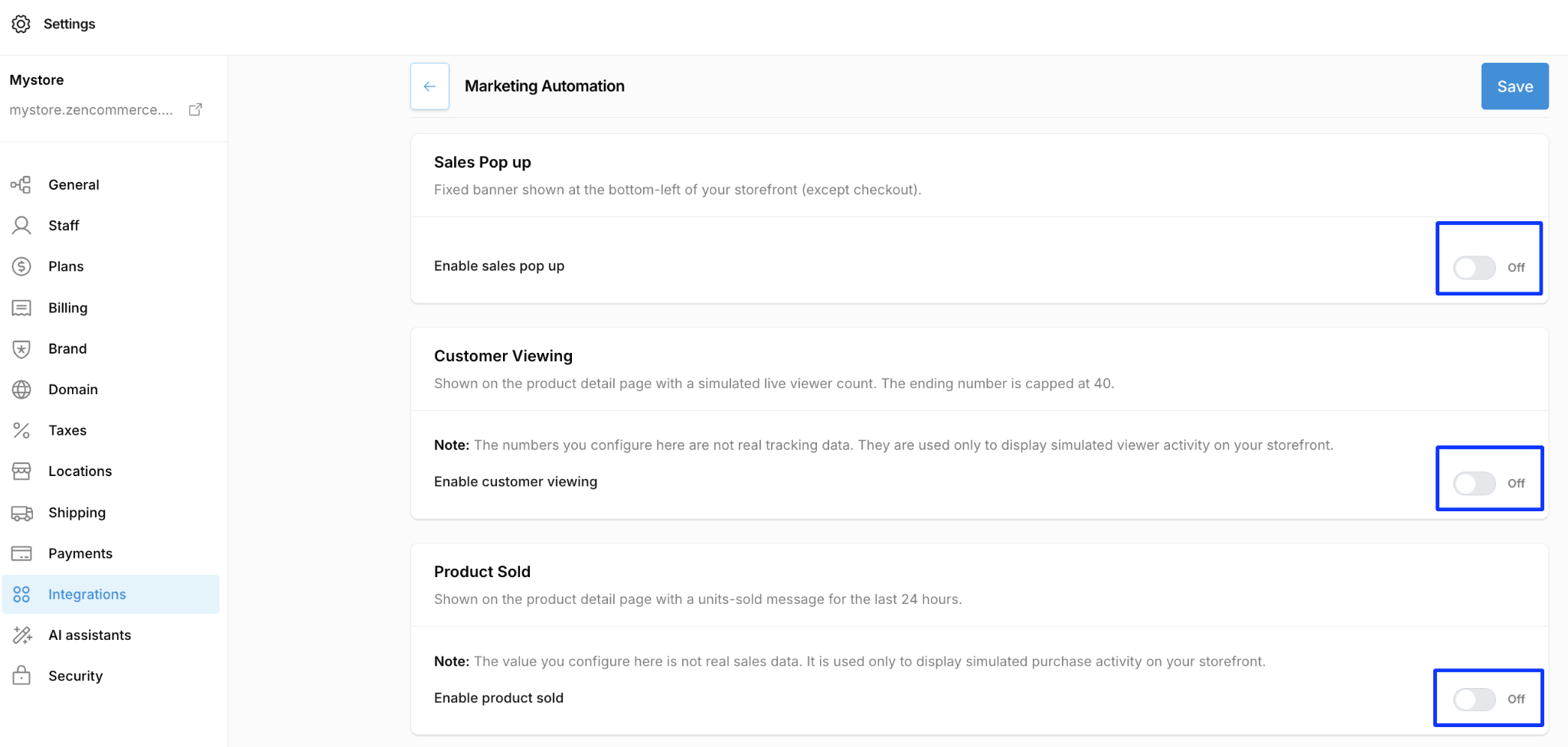
- Sales pop ups: This feature displays a fixed banner in the bottom left corner of your storefront. It simulates recent purchase activity to build immediate brand trust.
- Customer viewing counters: This trigger places a live viewer count directly on your product detail pages. To keep the urgency realistic, the simulated counter is capped at a maximum of 40 concurrent viewers.
- Product sold messages: This feature displays a “units sold” message highlighting purchase volume over the last 24 hours on product detail pages.
Configuring your review system
Activating these conversion triggers takes only a few clicks. Follow these steps to configure the automated tools within your storefront admin panel:
- Open your admin panel and go to Settings → Integrations → Marketing Automation.
- Activate the sales pop up:
Locate the Sales Pop up block and switch the “enable sales pop up” toggle to the On position.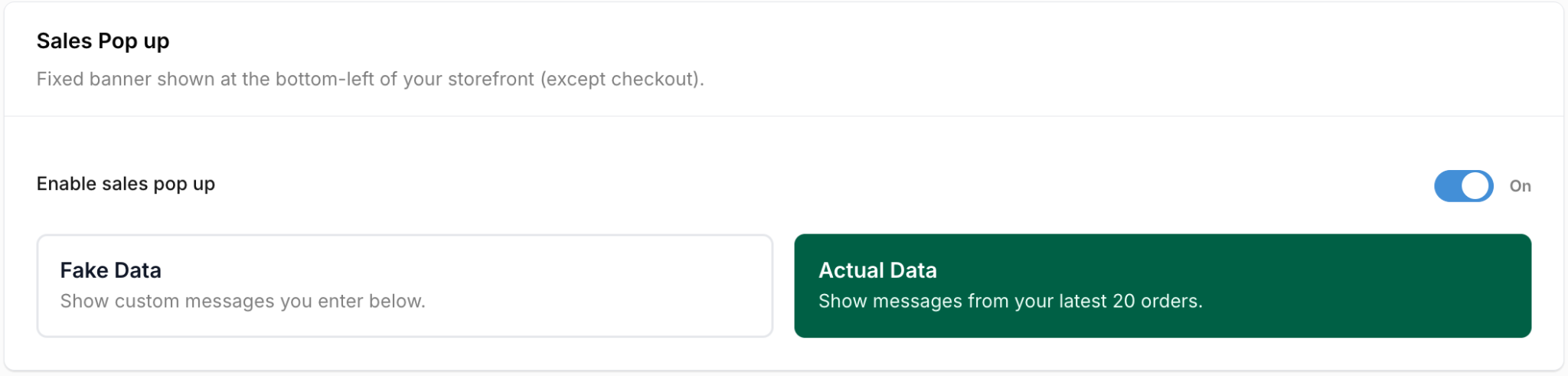
- Activate customer viewing:
Locate the Customer Viewing block and switch the “enable customer viewing” toggle to the On position to display the capped simulated viewer count.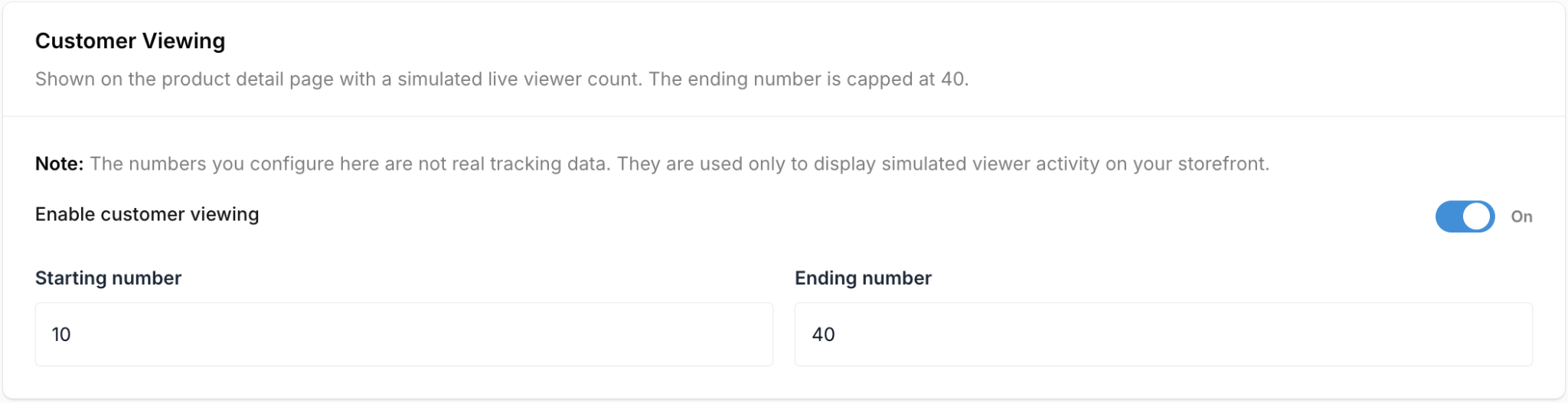
- Activate product sold messaging:
Locate the Product Sold block and switch the “enable product sold” toggle to the On position to display 24 hour simulated purchase activity.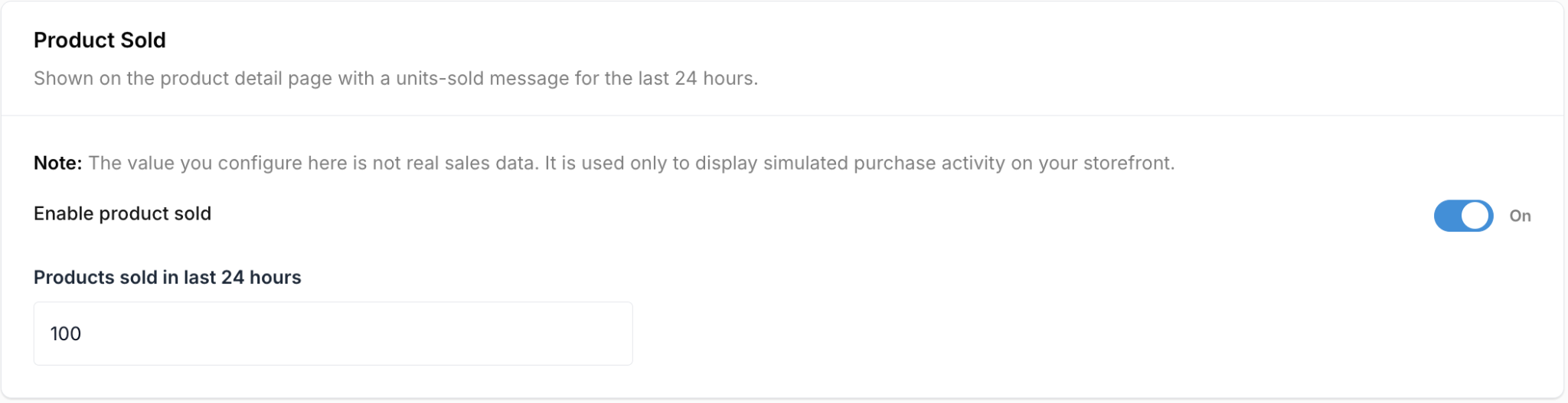
- Click the blue Save button in the top right corner to instantly push these triggers to your live storefront.
Balancing urgency with trust
While marketing automation is highly effective, it must be used strategically to maintain consumer trust.
Avoid urgency fatigue
If every product page screams that it is selling out instantly, the psychological impact diminishes. Use these tools as subtle nudges rather than aggressive alarms. The hard cap of 40 viewers for the Customer Viewing tool is designed specifically to keep the urgency believable.
Pair automation with real social proof
Simulated metrics are fantastic for generating initial momentum, but they work best when paired with actual user generated content. Ensure your Product Reviews and Star Ratings are also enabled so that the simulated “high demand” is backed up by genuine customer testimonials.