Configuring High-Impact Discount Campaigns: Buy X, Get Y
In a competitive digital marketplace, discounts are expected, but strategic bundling drives actual growth. “Buy X, get Y” tiered promotions are designed specifically to increase your average order value (AOV) and drive inventory turnover.
Instead of offering a flat discount that reduces your margins on single item purchases, this feature encourages shoppers to add more items to their cart to unlock a reward. It leverages the psychology of “earning” a deal, which helps merchants move idle or excess inventory, reward loyal customers, and scale revenue without devaluing the brand.
Understanding Promotional Mechanics
The eCommerce solution provides a highly flexible promotional engine that allows you to structure tailored deals. Here is how the core mechanics operate to protect your margins while driving sales:
- Trigger thresholds (“Customer buys”): You control exactly how the promotion is triggered. You can set the threshold based on a minimum quantity of items added to the cart, or a minimum total purchase amount.
- Targeted rewards (“Customer gets”): Once the threshold is met, you define the exact reward. This can be restricted to specific products or entire collections.
- Flexible discount types: The reward tier is fully customizable. You can offer a percentage discount, a flat amount discount, or a completely free product where the customer gets the selected reward item(s) for ₹0.
- Automatic vs. manual application: You have the choice to prompt for a specific text based coupon code at checkout, or you can leave the coupon code field empty to apply the promotion automatically the moment the cart conditions are met.
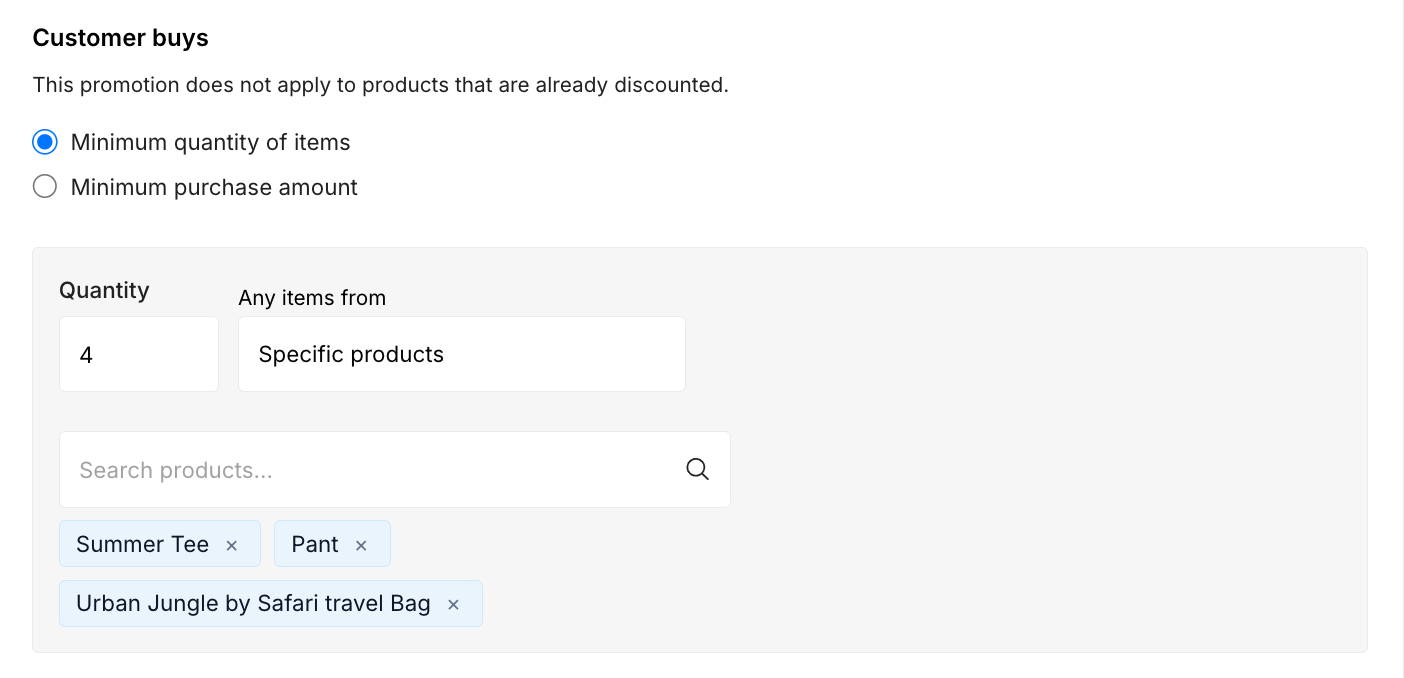
- Margin protection: To prevent margin erosion, the system includes built in safeguards, such as ensuring that the promotion does not apply to products that are already discounted.
Configuring the offer
Structuring your promotional bundles is handled seamlessly within the storefront admin panel. Follow these precise steps to launch your campaign:
- Open your admin panel and click on “Discount”, then select “Buy X and Get Y”.
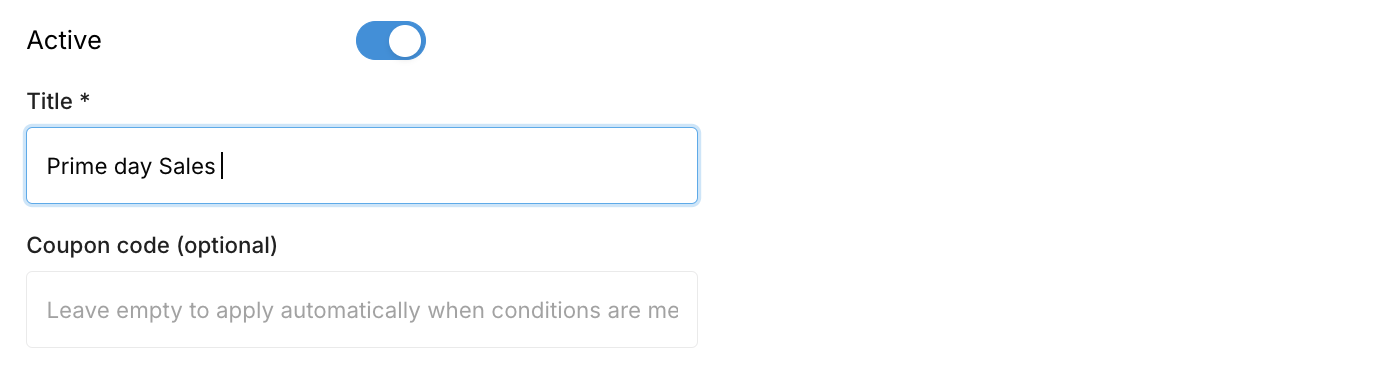
- Define the campaign:
- Enter a “Title” for internal tracking.
- Enter a “Coupon code” if you want to restrict the offer, or leave this field empty to apply the discount automatically.
- Set the “Customer buys” threshold:
- Select either Minimum quantity of items or Minimum purchase amount.
- Specify the required quantity and browse for the specific products that qualify for the trigger.
- Define the “Customer gets” reward:
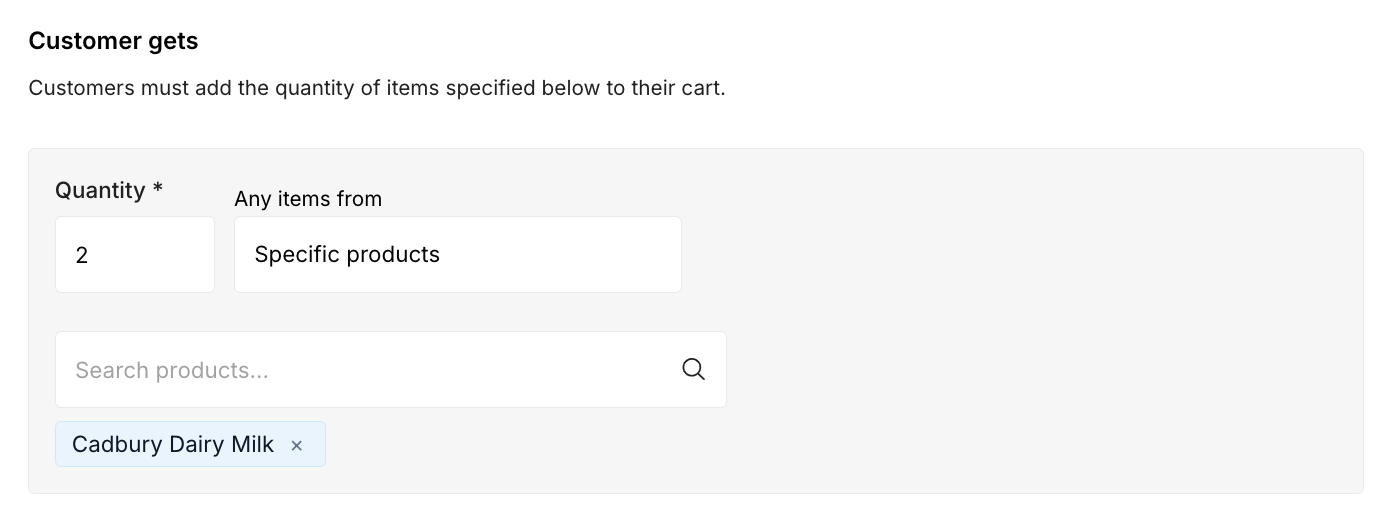
- Specify the quantity of the reward item the customer must add to their cart.
- Browse and select the specific products that act as the reward.
- Select the discount type:

- Choose between a Percentage Discount (and enter the % amount), an Amount discount, or the Free tier.
- Schedule the campaign:

- Under the Validity period, set the “Valid from” and “Valid until” dates using the dd/mm/yyyy format to strictly control the lifespan of the offer.
- Ensure the master toggle at the top is set to Active, then click the Add button to push the promotion live.
Best Practices
To maximize the impact of your Buy X, Get Y campaigns, follow these proven recommendations.
Enforce Strict Validity Windows
Open-ended promotions gradually lose urgency and can reduce your margins. Always define clear start and end dates to create limited-time offers such as weekend flash sales or holiday campaigns that encourage immediate purchases.
Leverage Automatic Application
Requiring customers to search for promo codes can increase cart abandonment. Unless the campaign is exclusive to a specific audience, leave the coupon field empty so eligible discounts are applied automatically.
Clear Excess Inventory
Use the Free Product (₹0) reward option to bundle slow-moving inventory with your best-selling, high-margin products. This improves inventory turnover while increasing the perceived value of each purchase.