
How to sync your product catalog with meta ads to drive more sales
To scale your eCommerce brand today, you must reach shoppers where they spend their time. Meta’s ecosystem (Facebook and Instagram) remains one of the most powerful platforms for discovering new products and retargeting abandoned carts.
By synching your live product catalog directly to Meta, you unlock Dynamic Ads. Understanding the meta feed engine
Understanding Promotional Mechanics
The Facebook product feed module translates your storefront inventory into the exact data structure required by Meta Commerce Manager. Here is how the integration functions to keep your social channels optimized:
- Targeted formatting: The Facebook product feed automatically formats your product titles, images, descriptions, and pricing into a Meta compliant data file, completely bypassing the need for complex, manual spreadsheet uploads.
- Total product sync tracking: A live “Total product sync” metric displays the exact number of active products that have been successfully packaged into your Facebook feed.
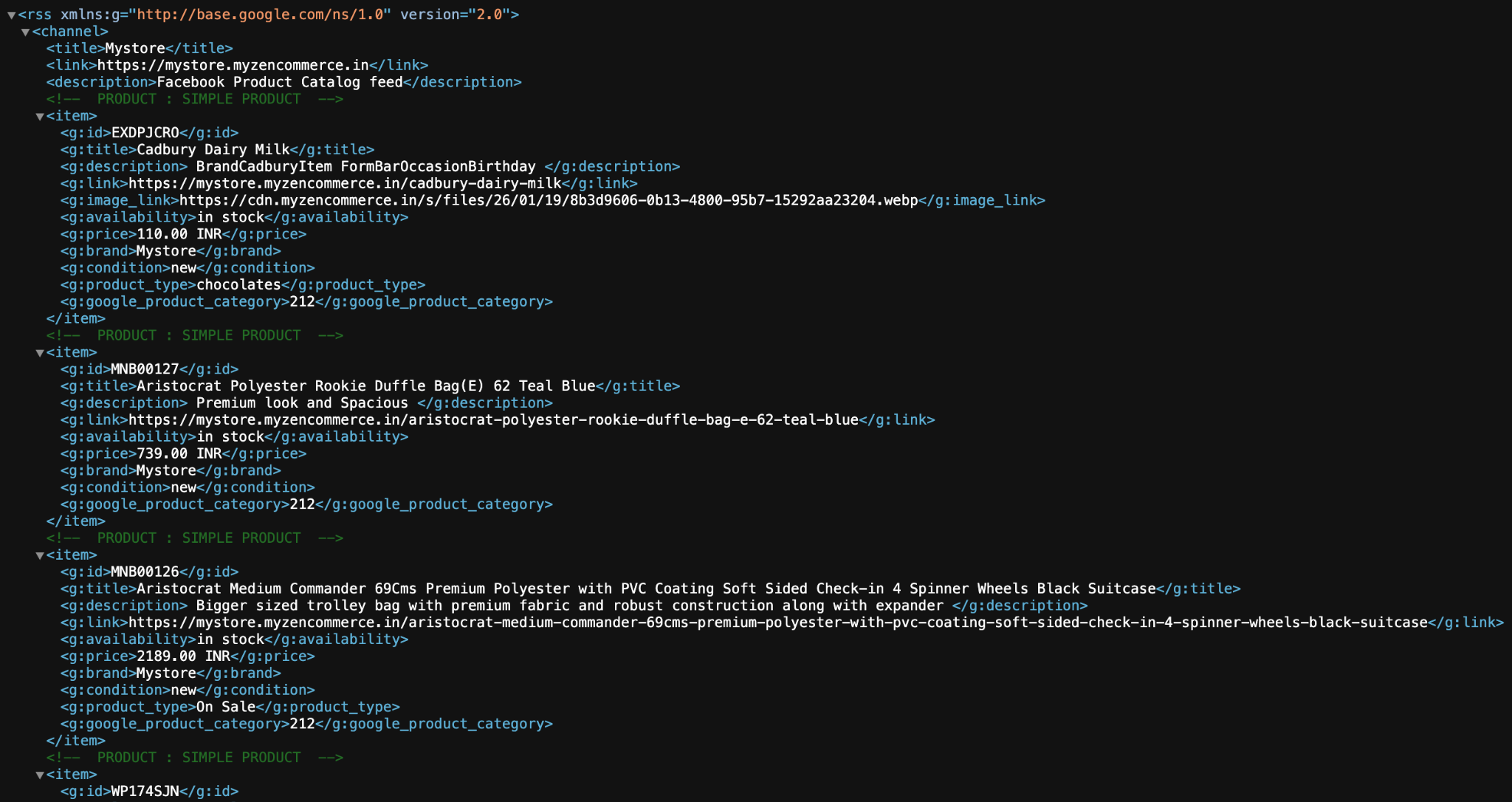
- Live output verification: The “View feed” link provides a direct URL to your raw catalog data. This URL acts as a live, constantly updating bridge between your eCommerce platform and your Meta Business Manager.
Generating your meta catalog
Connecting your storefront to Facebook and Instagram requires no coding knowledge. Follow these straightforward steps to generate your live catalog link:
- Open your store admin panel and go to Settings → Integrations.
- Scroll down the page to find the block labeled “Facebook product feed”.
- Click the “Generate” button. The system will compile your catalog data and update the “Total product sync” metric to reflect the number of products successfully included.
- Click the “View feed” link. This will open the raw feed data in a new browser tab. Copy the complete URL from your browser’s address bar. You will paste this exact link into your Meta Commerce Manager (under Data Sources → Data Feed) to establish the connection.
Maximizing your social commerce ROI
Generating the feed establishes the technical connection, but how you configure that data determines your success on social media. Execute these best practices to scale your Meta ad performance:
Set up scheduled uploads in Meta Commerce Manager
When configuring your data source in Meta Commerce Manager, always choose the “Scheduled feed” option rather than a manual file upload. Paste your “View feed” URL and set the schedule to update daily. This ensures your Instagram shop and dynamic ads campaigns never accidentally promote out of stock items or display outdated prices.
Pair your catalog with the meta pixel
A product catalog is only half of the dynamic retargeting equation. To allow meta to track which specific user looked at which specific product on your website, you must also have your Meta Pixel active. Ensure your Meta Pixel is fully configured in your storefront settings so the tracking data can communicate directly with your newly synced product catalog.
Leverage “broad audience” Dynamic Ads
Once your feed is synced, you do not just have to use it for retargeting past visitors. Meta’s algorithm is exceptionally good at finding net new buyers. Run Dynamic Ads for Broad Audiences (DABA) campaigns. Meta will analyze your synced product catalog and automatically show the most relevant products to users who have shown interest in similar items across the Facebook platform, acting as a highly efficient, automated prospecting tool.