Understanding data isolation: How your core store operations stay secure
When integrating artificial intelligence (AI) into your business workflow, data protection is top priority. Implementing conversational store management does not mean exposing your private operational infrastructure or compromising proprietary information.
By implementing strict data isolation, the eCommerce solution guarantees that your AI assistant operates purely as a highly efficient management layer. Your underlying database remains locked within an isolated environment, protecting your commercial interests and ensuring your corporate assets are never exposed to public AI training pools. This balance lets you capture the speed of AI driven execution without compromising security or compliance.
The architectural boundaries of AI access
The data isolation framework operates under a zero trust model, ensuring the AI assistant can only see and modify exactly what you authorize. Here is how these security perimeters function under the hood:
- Limited access: The connection relies on restricted, specifically defined API permissions. For example, authorizing the AI to read your catalog via read_products does not grant it access to sensitive internal parameters or sensitive payment settings.
- Complete data protection: The secure gateway acts as a strict, one way filter. It reads live store data to execute your immediate commands, but it never stores, caches, or trains external AI models on your store’s private information.
- Total credential isolation: Your master account credentials, financial gateways, and users password strings are completely isolated from the AI environment. The assistant interacts strictly through temporary, single purpose tokens that bypass raw login data entirely.
Verifying and managing your security perimeters
You maintain absolute visibility and control over what the AI assistant can access. Follow these steps to audit and enforce your store’s security boundaries:
- When initializing the connection under Settings → AI assistants, carefully review the requested data scopes before clicking approve. This step establishes the hard permission boundary for your AI workspace.
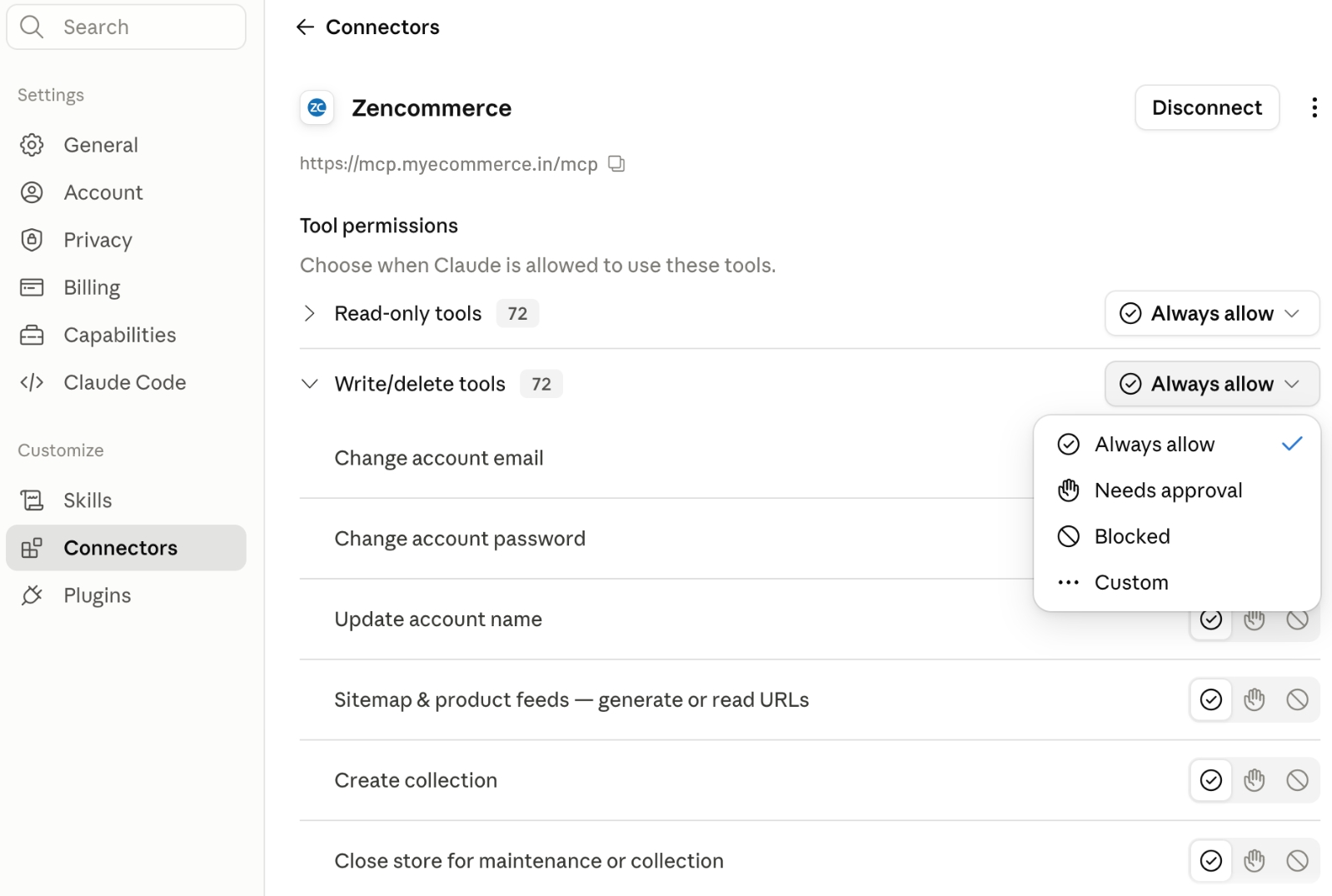
- Inside your AI chat interface, you can explicitly ask the assistant to list its available capabilities by entering the query: “Call help”. The AI will output a clean dictionary of the exact public tools it has permission to read or write.
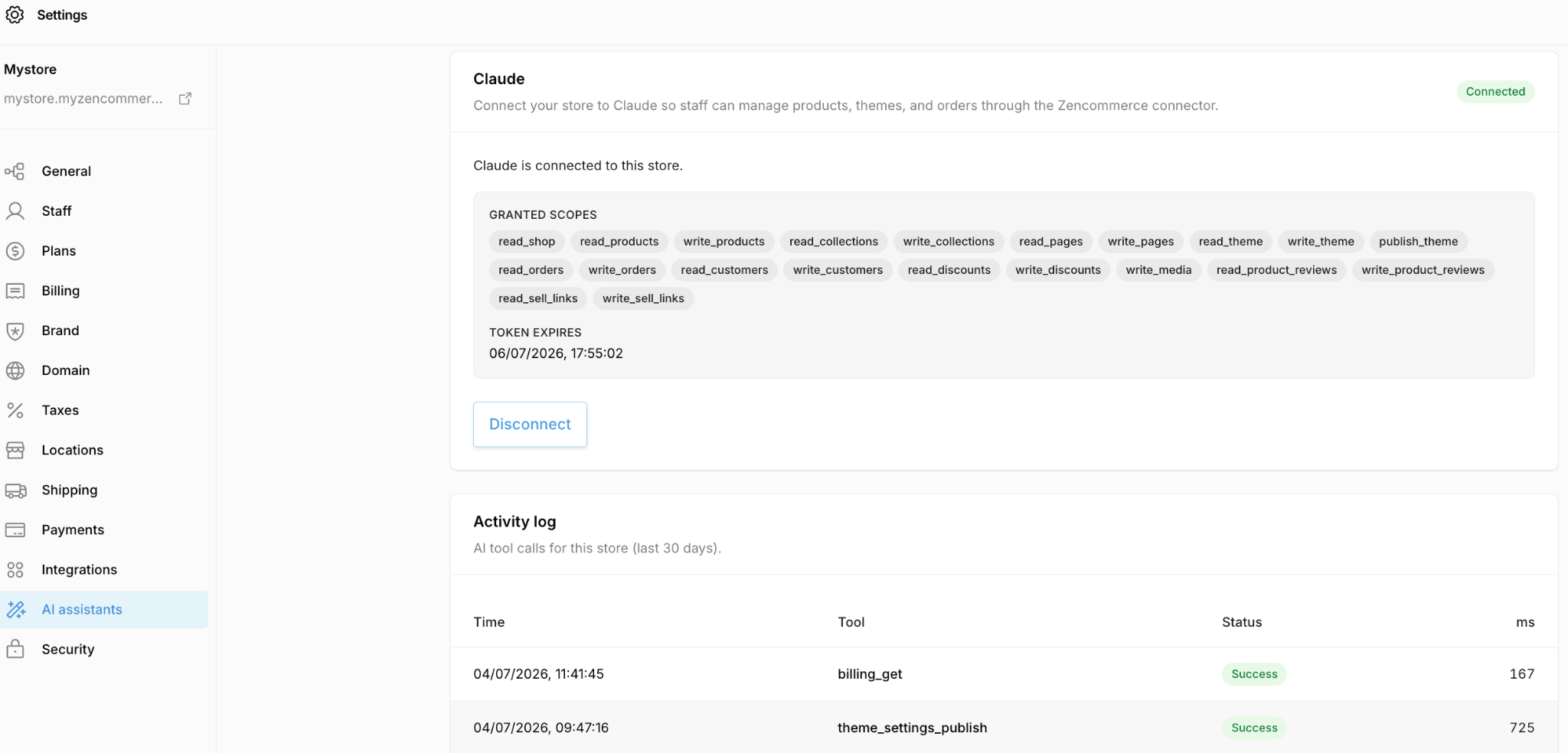
- If you ever need to revoke access immediately, navigate to Settings → AI assistants in your admin panel and click “Disconnect”. This action instantly destroys the secure connection tokens, cutting off all external AI communication lines with your database.
Best practices for strategic data hygiene
As you add team members and scale your AI driven executions, implement these data hygiene best practices to keep your environment secure:
Enforce the principle of least privilege
The AI assistant can only execute actions based on the permissions of the staff account connected to the workspace. If you are configuring a workspace for a team member who only manages inventory, connect the AI using a restricted staff account that lacks billing or setting access. This ensures the assistant can never accidentally modify global configurations or viewing parameters.
Run routine activity audits
Make it an operational rule to audit the rolling 30 day activity log at least once a month. Verify that every automated tool call, whether it was a product description generation or a metadata update, corresponds directly with an internal task executed by your team. Continuous monitoring keeps your automated store running predictably and securely.